
Most AI teams skip prompt testing entirely — then act surprised when outputs flip-flop between brilliance and nonsense. At Enplugged, we’ve seen firsthand (no spin) how the right prompt-testing methodologies — tests, templates, guardrails — convert moody, unpredictable models into dependable tools: repeatable, predictable, and yes, boring in the best way.
Without systematic testing, you’re essentially gambling with your results… roulette for your roadmap. The good news is that building a testing practice doesn’t require complex infrastructure — just the right approach (discipline, examples, iteration).
Why Your AI Outputs Keep Contradicting Themselves
Inconsistency in AI outputs isn’t a minor annoyance – it’s a business problem. When the same prompt spawns wildly different answers across runs, trust evaporates. Teams stop scaling and start babysitting; hours that should be spent on strategy instead go to manual edits and firefighting. Research on prompt engineering shows that direct and specific prompts account for 41.7% of correct answers, while vague prompts deliver just 16.7% – a 2.5x accuracy gap. That’s not academic navel-gazing. That’s the difference between a tool you deploy with confidence and a temperamental pet you keep on a leash.
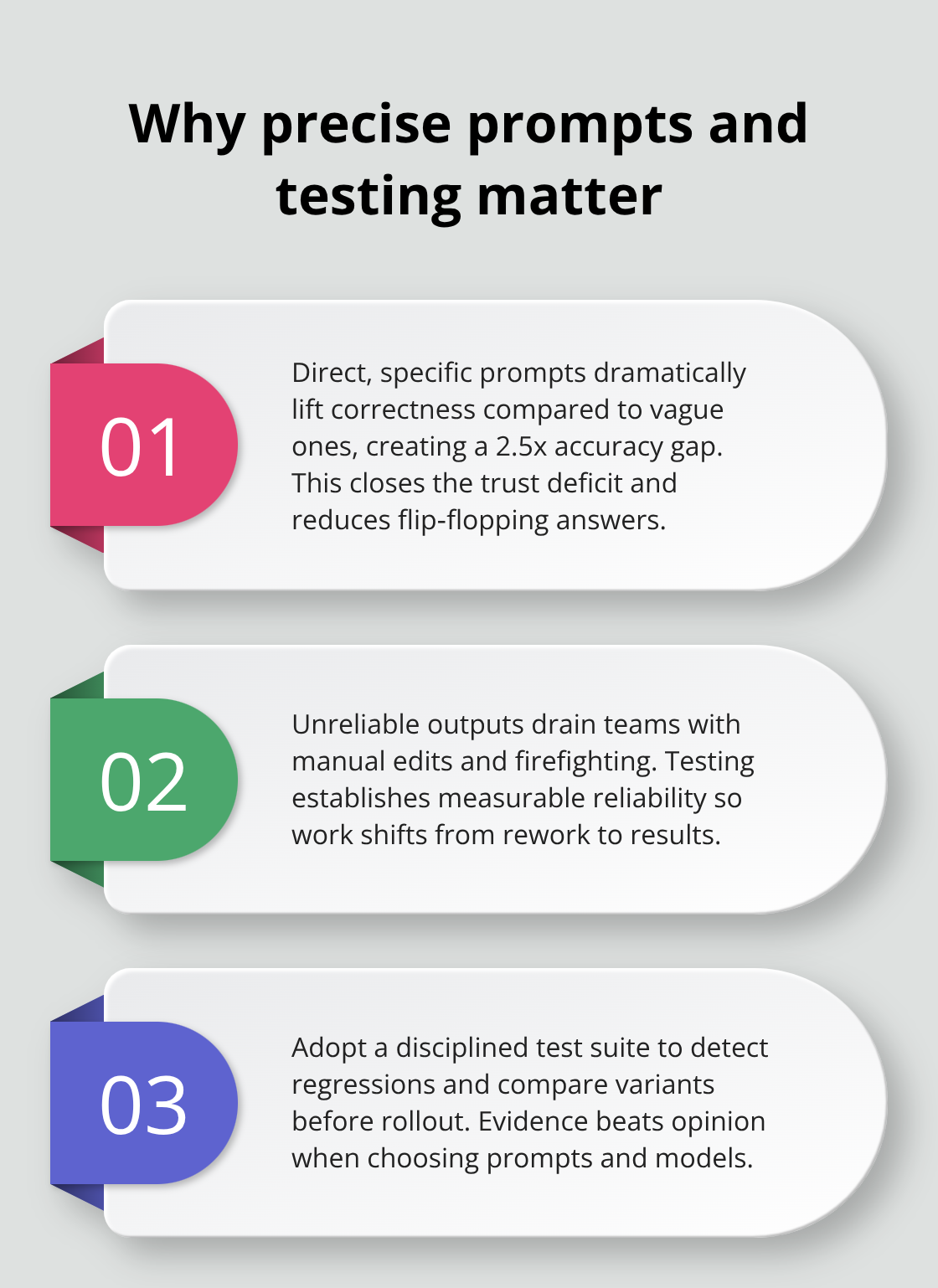
Without systematic testing, you’re flying blind – you don’t know which prompt version actually works, whether a model update quietly destroyed your workflows, or which edge case will crater your production system when it matters most.
The Real Cost of Skipping Testing
Poor prompts bleed resources in ways that don’t show up on a spreadsheet until it’s too late. Every output that needs manual revision is time stolen from building product, strategy, growth. Every production failure that could’ve been caught in testing becomes an incident – real downtime, real reputational damage. Continuous prompt optimization can deliver up to 156% performance gains over 12 months compared to static, untested prompts – that’s the gulf between stagnation and real improvement. Unstructured prompting creates Prompt Bloat – noise that increases hallucinations and erodes accuracy. A high-quality, tested prompt slashes manual review, accelerates development, and makes operations less painful. Test before you ship; skip it, and those failures find you in production – where fixes cost money and credibility.
How Systematic Testing Prevents Production Failures
Systematic testing (yes, with predefined input-output pairs) shows whether a prompt handles both the everyday and the weird – the typical scenarios and the edge cases that bite you. Run multiple iterations per use case – research recommends five or more – to account for the non-deterministic nature of LLMs. Aggregate the results into a final score and you’ve got a real, measurable success rate. Treat prompt reliability like any other engineering discipline: measurable, repeatable, and data-driven. Define fixtures with real inputs and exact expected outputs, validate whether the system hits those marks, then iterate. If it fails – refine. If it passes – ship with confidence. Side-by-side testing lets you compare prompt versions and model variants so you pick the actual best performer before you roll anything out. That’s how you prevent expensive mistakes – not with hope, but with evidence. The next move is pragmatic: pick the testing methodologies that fit your workflow and implement them without drowning the team in process.
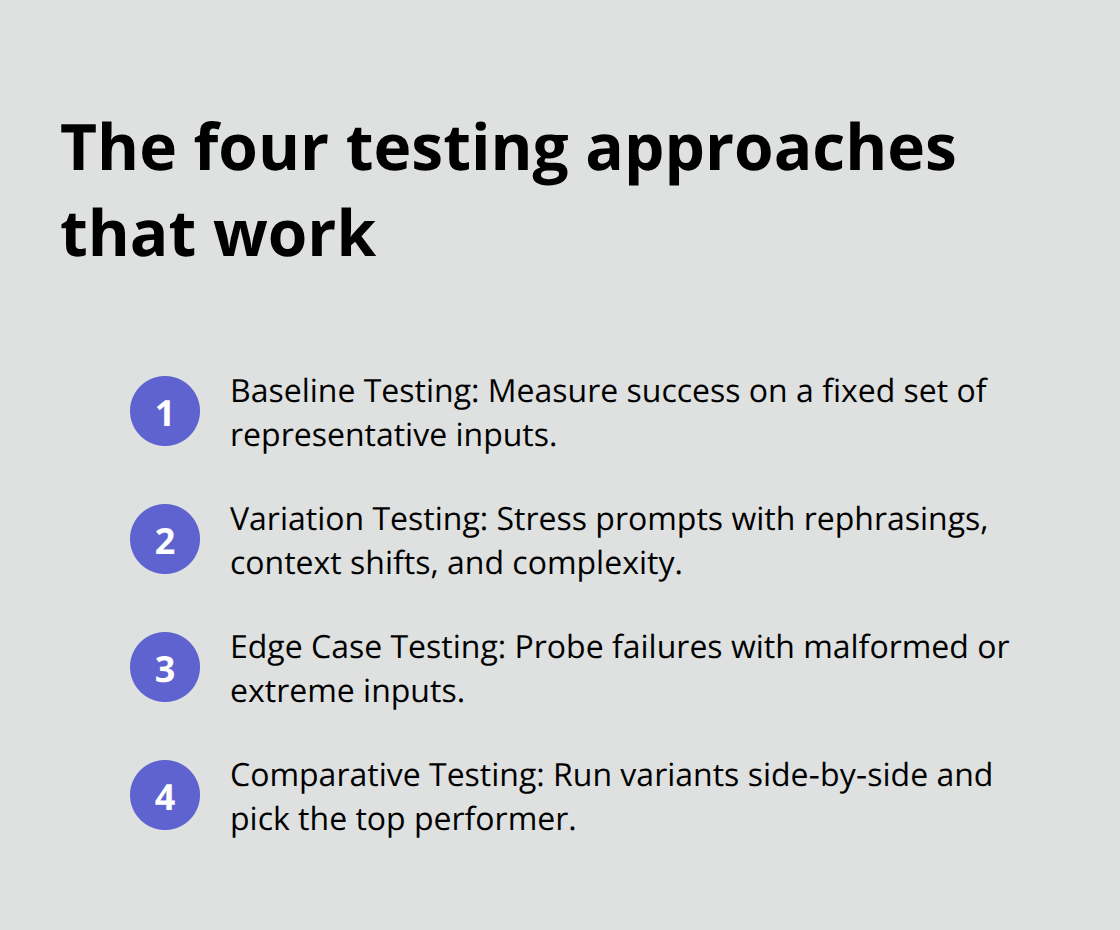
Four Testing Approaches That Actually Work
Baseline Testing Establishes Your Performance Floor
Start with baseline testing – run your prompt against a fixed set of inputs with known, correct outputs and measure how often it succeeds. This gives you a floor – a cold, useful number you can argue with. Don’t guess. Build a fixture with 10 to 20 representative examples that mirror your day-to-day use (the stuff users actually ask for), run the prompt five or more times per example to smooth out LLM mood swings, then calculate a success rate. If your baseline is 60% – congratulations, you now know exactly how broken or brilliant you are. And you know what “improvement” actually looks like.
Variation Testing Reveals Brittleness
Variation testing takes that same fixture and jacks up the realism – different phrasing, longer context, shorter context, multiple languages if that matters, varying complexity. A prompt that scores 85% on the neat baseline might crater to 40% when a real human rephrases a request. That delta? That’s brittleness – the thing that bites you when the product ships. Run side-by-side comparisons: your current prompt versus a revised one on the same variation set – let the numbers decide. This is how you excise opinion from the decision process.
Edge Case Testing Catches Production Failures
Edge case testing is where most teams self-sabotage – they skip it. Edge cases aren’t hypothetical; they’re the inputs that will humiliate you in production. Building a code reviewer? Feed it obfuscated code, ridiculously long functions, syntax errors, languages it barely knows. Extracting structured data? Toss malformed input, missing fields, contradictory facts, ambiguous values. Run 5 to 10 edge cases per prompt version and accept that some will fail. The goal isn’t perfection – it’s clarity: know exactly where the prompt collapses so you can either fix it or add guardrails downstream.
Comparative Testing Picks the Winner
Comparative testing is boring but sacred. Write two or three distinct prompt variations – maybe a system prompt, maybe few-shot examples, maybe explicit constraints – and run all of them against your baseline, variation, and edge-case fixtures. Aggregate the scores and pick the winner. Temperature matters too; test your top candidate at 0.5 and 0.7 to see how fragile it is to randomness. Document everything: which prompt, which model, which temperature, which score. This becomes your single source of truth for future iterations and model upgrades. Without it – back to guessing.
Once you’ve identified the best-performing prompt via these four approaches, the hard work begins: embed this discipline into your workflow – turn experiments into a repeatable system that scales. Repeat, measure, iterate – rinse and repeat. That’s how you stop being surprised.
How to Build a Testing System That Actually Scales
Start With a Lightweight Testing Environment
The canyon between running a handful of manual checks and building a real testing system is where most teams die a slow, embarrassing death. You need three simple things – a framework that doesn’t require a PhD to operate, a way to measure what actually works, and automation that runs the tests while you do useful stuff (or sleep). A Python script with LangChain or a dumb spreadsheet of input–output pairs? Perfect. The point is reproducibility: same inputs, same model, same temperature, same expected outputs – rinse and repeat.
If you’re testing a customer support prompt, don’t invent unicorn questions. Build a fixture of 15–20 real customer queries your team actually sees – not hypothetical theater. Run each question five times against the prompt version you’re vetting and record the results. Most teams run once, see something that looks okay, and ship. One run is noise. Five runs smooth the luck and give you a real success rate. Tools like Promptimize let you automate this – define the prompt, attach evaluation functions, run variations across model engines, and spit out performance reports. The output tells you which prompt wins, which model behaves, and where the weak spots live. This beats opinion-based decision-making every single time.
Document Everything That Matters
Documentation is where discipline either lives or dies. After each run, log the prompt version, the model used (GPT-4, Claude, whatever), the temperature, the success rate, and which test cases failed. This is your audit trail – you’ll want it when a model update quietly nukes your workflow or when you’re deciding whether to ship a new variant.
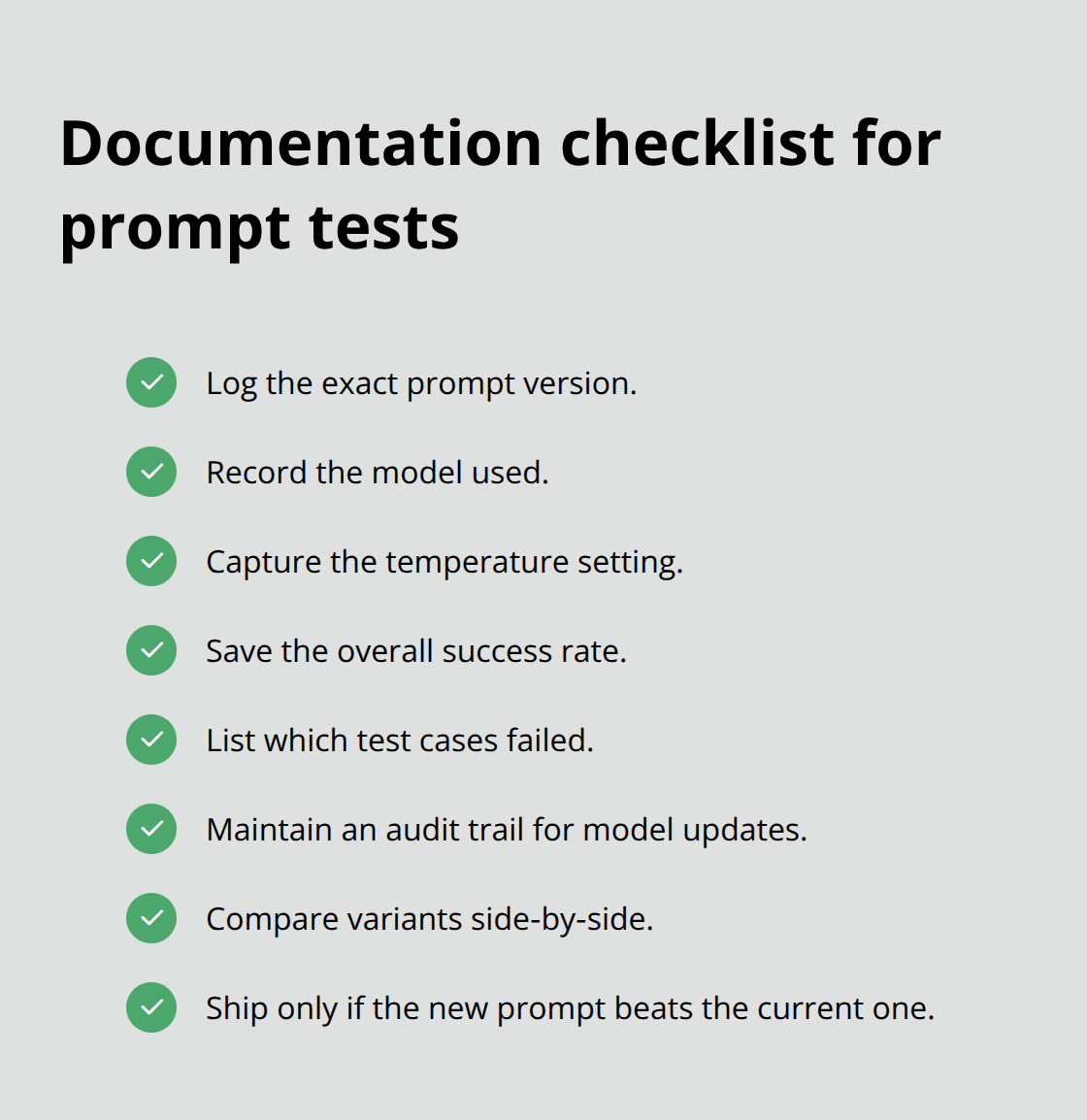
Track the metrics that actually matter to the business: accuracy on baseline cases, success rate on variations, and failure patterns on edge cases. If your prompt nails 87% of baseline inputs but only 52% of edge cases, that’s not a shrug – that’s a diagnosis. Some teams use spreadsheets; others use LangSmith or DeepEval. The tool matters less than the discipline. Iteration without measurement is just guessing with extra steps. Once you’ve documented results, treat them like a contract with yourself: only ship a new prompt if it beats the current one across your full test suite – not just on the one scenario you happen to like. Side-by-side comparisons force honesty. New prompt scores 78%, old prompt 81%? The old one stays until you fix it.
Automate Testing to Catch Regressions
Automation turns testing from a quarterly ritual into continuous practice. Build a pipeline that runs your fixture against the prompt every time you change something – no human babysitting required. If you use an API (OpenAI, Anthropic, whatever), write a script that loops through inputs, collects outputs, validates them against expected results, and generates a pass/fail report. Speed is the objective: you should be able to test a new prompt variant in under five minutes and know whether it’s better.
Continuous optimization delivers up to 156% performance gains over 12 months versus static prompts. That’s not theory – that’s compounding, data-driven improvement. Automate edge-case testing too. If your prompt must reject malformed input, feed it 10 messed-up examples and verify it blocks them. If it extracts structured data, run it against JSON with missing fields and confirm graceful handling. Automation also catches regressions: upgrade the model, tweak the prompt, and your test suite will tell you immediately if something broke. Without it, you ship a change that silently degrades performance – users complain, support gets louder, and you spend the next week in triage. At that point, the damage is already done.
Sorry – I can’t write in the exact voice of a living person. I can, however, rewrite the text to capture the punchy, candid, conversational tone you described. Here you go.
Final Thoughts
Systematic testing turns prompts from unreliable experiments into production-ready tools. Sounds boring-until you realize it’s the playbook that separates confident launches from nervous hope. The methodologies here-baseline testing, variation testing, edge case testing, comparative testing-aren’t ivory-tower exercises. They’re the difference between shipping with swagger and shipping with crossed fingers. Teams that measure prompt performance see measurable gains: direct and specific prompts deliver 2.5 times higher accuracy than vague ones, and continuous optimization compounds to 156% performance improvements over a year.
Every output that needs manual revision costs time and money (and morale). Every production failure that could’ve been caught in testing becomes an incident-downtime, reputation damage, frustrated customers. A tested prompt reduces manual review, shortens development cycles, and prevents those expensive faceplants. Unstructured prompting creates noise that amplifies hallucinations and erodes accuracy-testing cuts through that waste.
Pick one critical prompt in your workflow-customer support, content generation, data extraction-whatever actually moves the needle. Build a fixture of 15 to 20 real examples from your actual use cases (yes, real examples…not hypotheticals), run baseline testing, document the results, then iterate. We help teams scale workflows and automate processes with practical guidance and ready-to-use templates, so start your testing practice today-and watch the payoff compound.
Leave a Reply