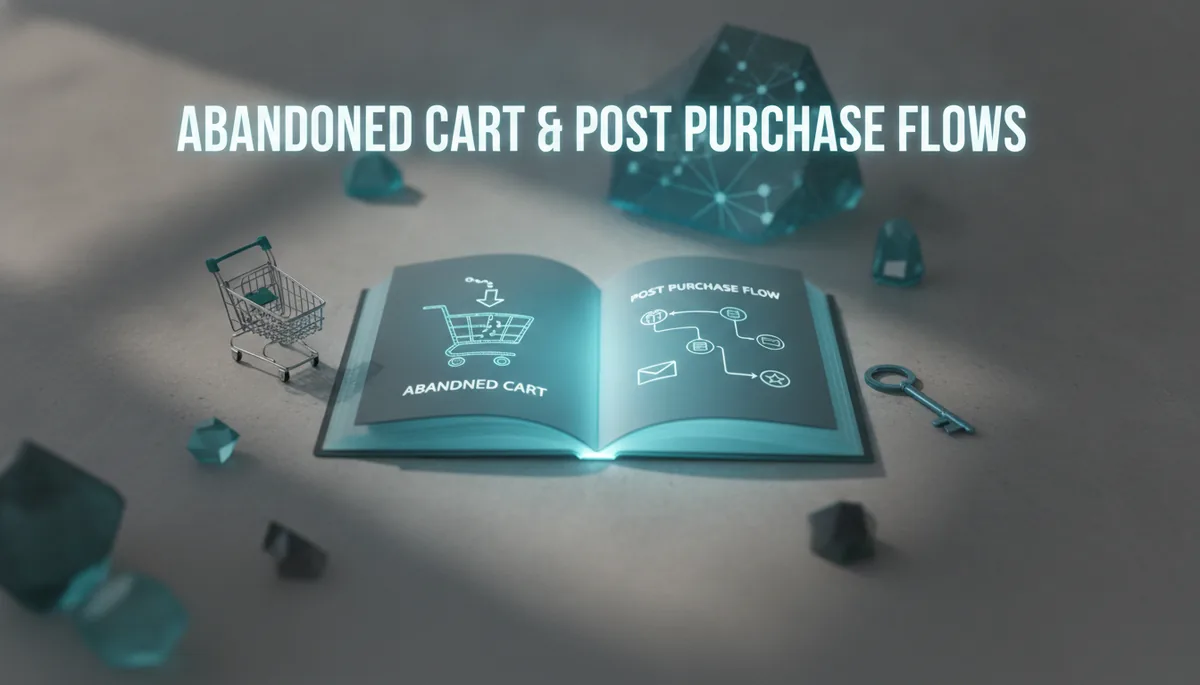
Ecommerce Email Flows That Convert: Abandoned Cart and Post-Purchase Sequences in ConvertKit
This guide is a ConvertKit-first blueprint for building high-converting abandoned cart and post-purchase email sequences in 2026. It covers the three-email cart flow, repeat-purchase post-purchase journeys, design and copy principles, automation best practices, integrations for a modern stack, ready-to-use templates and AI prompts, testing metrics, and a two-week implementation roadmap your ecommerce team can run with. ⏱️ 9-min read
Mapping Abandoned Cart Flows in ConvertKit
Abandoned cart success starts with a simple, three-message rhythm: a friendly reminder, a value-adding follow-up, and a scarcity/discount finale. In ConvertKit, model this as an automation triggered when a prospect creates a cart or when your ecommerce integration sends an “Added to Cart” or “Checkout started” event. Use tags and custom fields (cart items, cart value) to personalize messages and route conditional paths.
- Email 1 — Reminder (15–60 minutes): Trigger immediately after the cart or checkout-start event with a short subject, cart summary, and one-click return-to-cart CTA. Delay: 15–60 minutes depending on average session length. Condition: exit if purchase tag appears.
- Email 2 — Value add (6–12 hours): Send product benefits, social proof, quick FAQs, and shipping reassurance. Delay: 6–12 hours after Email 1. Conditional paths: if cart value > X, include free shipping messaging; if customer is a subscriber with past purchases, use a loyalty angle.
- Email 3 — Scarcity / Discount finale (24–48 hours): Use urgency or a small, time-limited discount. Delay: 24–48 hours after Email 2. Exit condition: remove from flow if purchase tag is added or if a “do not discount” tag exists (higher-margin SKUs).
In ConvertKit automations, implement these using a single automation with three email nodes, add “If/Else” conditions that check tags or custom fields, and set “Wait” timers for delays. Use goals (e.g., “Placed Order” tag) to end the automation early and keep your sequences efficient.
Post-Purchase Sequences That Drive Repeat Purchases
Post-purchase sequences move customers from buyer to repeat buyer. Start immediately with confirmation, then onboard, educate, and cross-sell. Map the sequence around product lifecycle milestones and customer behavior signals in ConvertKit.
- Order confirmation (instant): Receipt, order summary, and what to expect next. Use commerce/order tags to trigger this email.
- Onboarding (1–3 days): Welcome the buyer, provide unboxing tips, sizing or setup guidance, and a clear customer-service link.
- Product usage tips (5–10 days): Deliver how-to content tailored to the SKU. Include a soft cross-sell for complementary items.
- Cross-sell / upsell (10–21 days): Suggest accessories or replenishment items with social proof and short, product-focused copy.
- Re-engagement (2–4 weeks): Ask for feedback, reviews, or offer a loyalty incentive to bring them back. Branch high-engagement customers into VIP sequences.
In ConvertKit, use tags like “order:1234”, “bought:productX”, and conditional automations to ensure messages are relevant. For subscriptions or replenishment items, set reminder schedules tied to expected reorder windows and customer lifecycle custom fields.
Design and Copy Principles for Higher Conversions
ConvertKit emails should be mobile-first, scannable, and focused on one clear action. Keep images accessible, subject lines precise, and CTAs obvious—every email should lead the reader toward one logical next step.
- Subject lines & preheaders: Keep subject lines 35–50 characters for mobile clarity. Use preheaders to complement the subject with urgency, benefit, or social proof (e.g., “Your cart is waiting • Free shipping over $50”).
- Layout: Single-column, bold headings, 14–16px body text, and clear button CTAs above the fold. Use alt text on images and avoid heavy reliance on images for critical information.
- Copy: Short sentences, benefit-first bullets, conversational tone, and a single CTA per email. Personalize with first name and product references pulled from custom fields.
- Accessibility: High-contrast buttons, descriptive link text, and ARIA-friendly HTML blocks within ConvertKit’s editor or via plain HTML snippets.
Remember: convertibility is a function of clarity. If a recipient can’t tell what to do in two seconds, they won’t convert.
Leveraging Automations in ConvertKit to Scale
Scale by building reusable automation templates that use tags, custom fields, and conditional branches rather than hard-coded sequences per product. That keeps your architecture flexible and reduces maintenance as SKUs change.
- Reusable templates: Create a master abandoned-cart automation and clone it per store or brand, swapping product-specific snippets via custom fields.
- Tags & conditions: Use tags for state (cart_abandoned, order_placed) and conditional rules in automations to check cart value, customer lifetime value, or product category.
- Delays, goals, exit conditions: Map realistic wait times, set a goal (purchase tag) that removes a contact from the flow, and add opt-out or suppression tags for customers on particular promotions.
- Split tests: Run split paths to test subject lines, discount vs. no-discount finales, or different timing cadences. If ConvertKit’s native split testing lacks a needed feature, implement parallel automations with traffic-splitting rules and track outcomes by tags.
Automation hygiene matters: name automations clearly, add version notes, and set review cadence in your governance checklist to retire or improve flows quarterly.
Integrations and Data Flow for 2026 Marketing Stack
By 2026, a strong stack surrounds ConvertKit: ecommerce platform, analytics, CRM, and AI-assisted creative tools. Ensure event and product data flow into ConvertKit as tags or custom fields so automations can act on real purchase context.
- Ecommerce connections: Use ConvertKit’s native Shopify or WooCommerce integrations where available, or reliable middleware (Zapier, Make) to push events like cart_created, checkout_started, and order_placed.
- AI visuals & creatives: Pull product and cart data into image-generation tools (Enplugged or similar) to create dynamic hero images or personalized mockups. Store generated image URLs in custom fields or an asset host and insert them into emails.
- Analytics & CRM sync: Sync revenue, LTV, and campaign performance back to your analytics tool and CRM via native connectors or webhooks for attribution and deeper segmentation.
Design the data layer early: consistent field names for SKU, cart_value, and purchase_date make automations reliable and make testing straightforward.
Templates and Workflows: Ready-to-Use 2026 Playbooks
Below are ready-to-adopt templates and AI prompts you can paste into ConvertKit and your creative tools. Customize copy to match voice and margins.
Abandoned Cart Email Templates (3-part)
-
Email 1 — Reminder (15–60 min)
Subject: Still thinking it over, [First Name]? — Preheader: Your cart is waiting with [Product Name].
Body: Quick note: you left [Product Name] in your cart. Tap to finish checkout → [Return to cart button]. Include 1–2 product bullets and free shipping or return reassurance if applicable.
-
Email 2 — Value add (6–12 hrs)
Subject: Why customers love [Product Name] — Preheader: Reviews, tips, and a quick FAQ.
Body: Social proof (1–2 short testimonials), a usage tip or sizing note, and a clear CTA. Add a subtle “still in your cart” reminder with cart total if you can surface it.
-
Email 3 — Scarcity / Discount (24–48 hrs)
Subject: Last call — an extra 10% if you check out today — Preheader: Code expires in 24 hours.
Body: Time-limited offer or low-stock message, bold CTA, and an exit condition if the purchase occurs. Add a note for exclusions on high-margin SKUs.
Post-Purchase Sequence Templates
-
Order confirmation (instant)
Subject: Thanks — your order #[OrderID] is confirmed — Preheader: Here’s what happens next.
Body: Order summary, support link, delivery window, and what to expect next.
-
Onboarding (1–3 days)
Subject: How to get the most from your [Product] — Preheader: Quick start tips inside.
Body: Setup or unboxing steps and a short video or image. CTA: “View setup guide.”
-
Product tips (5–10 days)
Subject: Three tips customers love — Preheader: Make [Product] last longer.
Body: Practical tips and a relevant accessory suggestion with a low-friction CTA.
-
Re-engagement (2–4 weeks)
Subject: How’s it going with [Product]? — Preheader: Quick favor and a thank-you.
Body: Ask for a review, offer a loyalty discount, or invite to subscribe to premium content.
AI Prompts for Copy and Images
-
Copy prompt (for GPT-style model):
“Write a 40–70 word abandoned-cart email for [brand], selling [product name]. Include a friendly tone, one testimonial sentence, and a clear CTA that directs to the cart. Keep the subject line under 45 characters and the preheader under 70 characters.”
-
Image prompt (for Enplugged or image model):
“Create a 600×400 hero image showing [product name] in use by a person aged 25–35 in a modern apartment. Emphasize warm lighting, natural materials, and leave 40% whitespace on the right for text overlay.”
-
Variations for product types:
For low-cost consumables, emphasize replenishment timing and bundle discounts. For high-consideration goods, emphasize returns, warranty, and social proof. For fashion, show fit/size guidance and lifestyle images.
Testing, Metrics, and Optimization
Define KPI targets, test deliberately, and iterate monthly. Use metrics to tie email performance back to revenue and product-level outcomes.
- Core KPIs: Open rate target: 25–40% (varies by list health). CTR target: 3–12%. Cart recovery rate: 5–12% of abandoned carts. Revenue per recipient (RPR): set baseline by product and aim to grow 10–30% through optimizations.
- Tests to run: Subject lines, preheaders, send timing (15min vs. 60min for Email 1), discount vs. no-discount for finale, hero image vs. no image, single CTA vs. multiple links.
- Measurement cadence: Capture results in a dashboard (analytics or spreadsheet) and document each test hypothesis, variant, outcome, and next action. Iterate monthly, and retire underperforming variants every quarter.
Implementation Roadmap for Ecommerce Teams
Run this as a two-week sprint with clearly assigned roles and a small set of deliverables: templates, automations, assets, and measurement. That gets you live fast and leaves room to optimize.
- Week 0 — Planning: Assign roles: copywriter, designer, automation owner (ConvertKit admin), analytics owner. Define priority SKUs and margin rules for discounts.
- Week 1 — Build: Create email templates, hero images, and ConvertKit automations (abandoned cart master + post-purchase sequence). Set up integrations (native or Zapier) to push cart and order events into ConvertKit.
- Week 2 — QA & Launch: Test flows with sample carts and test orders, validate personalization tokens, set up tracking, and launch. Kick off A/B tests for subject lines and timing immediately.
- Ongoing: Weekly review of KPIs for the first month, then move to a monthly optimization sprint. Maintain an asset checklist (copy, images, test data, promotion rules) and a governance doc for automation ownership and versioning.
With ConvertKit as the central automation layer, this roadmap and the templates above will get your abandoned cart recovery and post-purchase programs converting reliably—and give you a repeatable way to scale personalization and creative production across product lines.
Powered by Trafficontent
Leave a Reply